
Best Local SEO Strategies for Small Business
Local Search Engine Optimization (SEO) helps small businesses get found by nearby consumers searching online. Whether it’s ranking higher in local search results or showing up on Google Maps it’s about connecting with people who need your services. Here’s what you need to focus on:
- Google Business Profile: Claim, verify, and optimize your profile. Keep your business details accurate, add high-quality photos, and update hours regularly.
- Local Keywords: Use location-specific terms like “plumber in Atlanta” naturally in your website content, titles, and meta descriptions.
- Citations: Ensure your business name, address, and phone number are consistent across directories like Yelp, Facebook, and local sites.
- Reviews: Encourage happy customers to leave positive reviews and respond thoughtfully to all feedback.
- Website Optimization: Make your site mobile-friendly, fast, and easy to navigate. Use schema markup to help search engines understand your business better.
Success in local SEO takes consistent effort. Start by optimizing your Google profile and gathering reviews, then build from there. Regularly update your details, track performance, and stay informed about search trends. These steps will help more customers find and trust your business.
Local SEO For Beginners (2025 Complete Guide)
How to Optimize Your Google Business Profile
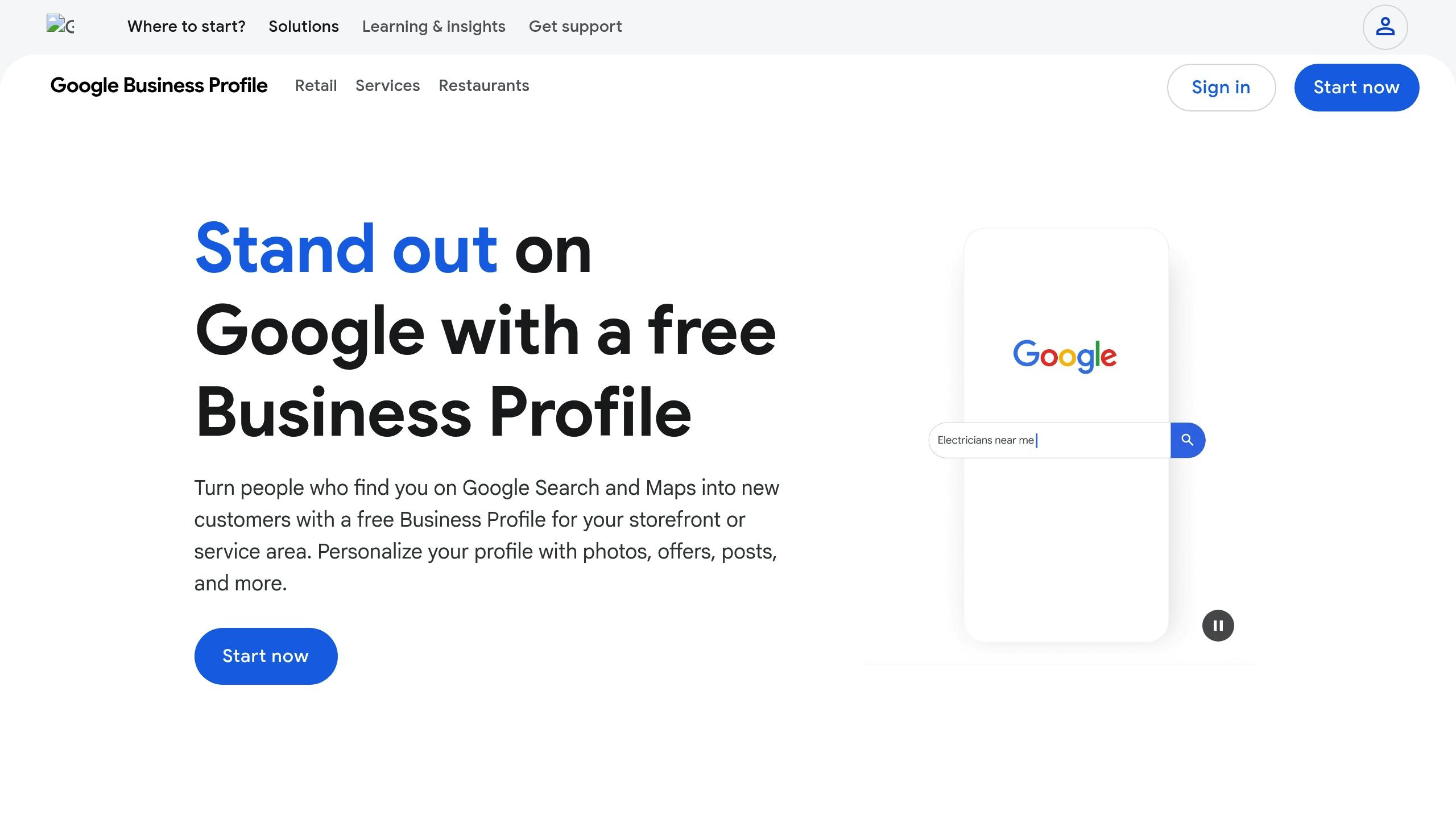
Your Google Business Profile is a powerful tool for boosting local SEO. When people search for businesses like yours, your profile pops up prominently on Google Search and Google Maps. A well-optimized profile can influence customer decisions in your favor.
Claim and Complete Your Profile
Start by claiming your Google Business Profile if you haven’t done so already. Visit google.com/business and sign in. Search for your business name and address – if it’s already listed, claim it; if not, create a new profile from scratch.
Accuracy matters. Make sure your NAP (Name, Address, Phone number) details are consistent with those on your website and other directories. Even small inconsistencies, like “Street” versus “St.,” can confuse Google and hurt your rankings.
Fill out your business hours, including special hours for holidays. If you’re a service-area business, specify the cities or ZIP codes you serve. Completing the verification process, usually done via postcard, is essential for appearing in local search results.
Choose your business category wisely. Your primary category should clearly define what you do. For instance, a bakery should select “Bakery” as its primary category rather than “Restaurant.” You can add secondary categories if you offer additional services. Proper categorization ensures Google shows your business to the right audience.
Once your profile is set up, take it a step further by adding more detailed information.
Add More Details to Your Profile
After claiming and verifying your profile, focus on enhancing it with additional details. Begin with your business description. You have 750 characters to highlight what sets your business apart, the services you provide, and why customers should choose you. Include location-specific details like the neighborhoods you serve or nearby landmarks.
Photos can make a big difference. Upload high-quality images of your products, storefront, interior, and team. Use a mix of exterior shots, product close-ups, and candid pictures of your team in action. Regularly updating these photos keeps your profile engaging and relevant.
List your services or products, including descriptions and pricing when possible. This transparency helps potential customers know what they can expect before reaching out. Don’t forget to add your website URL and ensure it’s functional. Features like “wheelchair accessible,” “free Wi-Fi,” or “outdoor seating” can also make your business more appealing to specific customers.
Keep Your Profile Updated
Think of your Google Business Profile as a living, breathing representation of your business – it needs regular updates to stay effective. Keeping it current signals to Google that your business is active and reliable, which can improve your visibility.
Update your hours promptly for holidays or any schedule changes. Few things frustrate customers more than showing up to a closed business because the online hours were outdated.
If you add new services, products, or payment options, make sure your profile reflects these changes. For instance, if you start accepting contactless payments or introduce delivery options, let your customers know. Seasonal businesses should adjust their profiles accordingly – if you’re a landscaping company that doesn’t operate in winter, update your hours or include a note about seasonal availability in your description.
Monitor the customer Q&A section weekly. Since anyone can post questions or answers, it’s important to provide accurate, helpful responses. This not only prevents misinformation but also shows you’re actively engaging with potential customers.
How to Build and Manage Local Citations
Local citations are a cornerstone of local SEO, yet many small business owners tend to overlook their importance. When done right, they can significantly improve your visibility in local search results. On the flip side, inconsistencies in your citations can hold you back.
What Are Local Citations and Why They Matter
A local citation is any online mention of your business’s name, address, and phone number (NAP). These mentions appear on directories, review sites, social media platforms, and even news outlets.
Citations help search engines trust your business. When Google or other search engines sees your business details listed consistently across multiple reputable sites, it reinforces your credibility. This trust often leads to higher rankings in local search results. Think of citations as endorsements – the more high-quality mentions you have, the more reliable your business appears.
Citations also play a key role in helping potential customers find you. Someone might discover your business on Google but double-check your details on Yelp or the Yellow Pages before visiting. Accurate and consistent citations ensure customers can easily locate and contact you, no matter where they’re searching.
However, quality trumps quantity. A listing on a respected, industry-specific directory is far more valuable than dozens of mentions on low-quality sites. For example, a restaurant benefits more from a citation on OpenTable or TripAdvisor than on a poorly maintained, generic directory.
Create and Verify Your Citations
Once you understand why citations matter, the next step is creating and verifying them. Start by identifying the directories and platforms that are most relevant to your business. Focus on major directories that Google trusts, such as Yelp, Facebook, Apple Maps, Bing Places, and the Better Business Bureau. Industry-specific directories are just as important – a plumber should prioritize HomeAdvisor and Angi, while a lawyer might target Avvo and Justia.
Standardize your NAP information before you start. Decide on the exact format for your business name, address, and phone number, and stick to it everywhere. For example, if your official name is “Smith’s Auto Repair”, don’t list it as “Smiths Auto Repair” or “Smith Auto Repair Shop” on other platforms. Similarly, if you spell out “Street” in your address, avoid abbreviating it as “St.” elsewhere.
To keep things organized, create a spreadsheet with your standardized NAP details, including your business name, full address, phone number, website URL, and business hours. This will serve as your master reference for all citation-related work.
You can list your business manually or use citation management services to speed up the process. When filling out directory profiles, complete every available field. Many directories allow you to add business descriptions, photos, categories, payment methods, and social media links. Fully completed listings not only improve search rankings but also build trust with potential customers.
Whenever possible, verify your listings. Many platforms offer verification processes – similar to Google Business Profile – that confirm you’re the legitimate business owner. Verified listings often rank higher in directory searches and carry more weight with Google.
Don’t forget about regional directories, like Chamber of Commerce websites or local business associations. A citation from your city’s official business directory or a neighborhood association site signals strong local relevance to Google.
Monitor and Update Your Citations
Creating citations isn’t a one-and-done task. Over time, your business information may change – you might move, update your phone number, or adjust your hours. When that happens, you’ll need to update all your citations to maintain consistency.
Set a schedule to audit your citations at least twice a year. Start with major platforms like Google Business Profile, Yelp, and Facebook, and then review smaller directories. Look for outdated information, duplicate listings, or errors.
Duplicate listings can confuse Google and weaken your citation strength. If you find duplicates, contact the directory to merge or remove them. Most platforms have a process for claiming and consolidating duplicate entries.
Keep an eye on how customers and other websites mention your business. If you find incorrect information in unstructured citations – like a blog post or news article – reach out to the site owner and request a correction. While you can’t control every mention of your business online, fixing errors on high-authority sites is worth the effort.
Track which citations drive the most traffic to your website. Some directories provide analytics showing how many people clicked through to your site or called your business. Focus your maintenance efforts on the platforms that generate the most engagement. If a directory isn’t sending traffic and is difficult to update, it may not be worth your time.
If your business undergoes a major change – like a relocation, merger, or closure – update your citations immediately. Leaving outdated information online can confuse customers and search engines alike. For instance, if you move to a new address but don’t update your listings, customers might show up at the wrong location, and Google might question which address is correct, potentially affecting your rankings.
Finally, audit your citations for unauthorized changes. Sometimes, third parties or automated systems update your listings with incorrect details. Regular audits help you catch these issues early, ensuring your citations continue to work in your favor. By staying proactive, you can keep your business information accurate and maintain your competitive edge in local search.
How to Use Local Keywords in Your Content
Local keywords are the bridge between customer searches and your business. When someone searches for “plumber near me” or “best pizza in New York”, they’re using location-based terms. Your job? Identify these keywords and naturally integrate them into your website content, helping search engines connect your business with those queries.
Research and Select Local Keywords
The first step is understanding how your customers search. People often use conversational phrases like “emergency dentist downtown San Francisco” when looking for services.
Start by brainstorming. Think about the services you provide and pair them with your location. For example, if you own a bakery in Portland, Oregon, your keywords might include “bakery Portland”, “custom cakes Portland”, or “gluten-free bakery downtown Portland.” Don’t forget to consider neighborhoods, landmarks, or nearby cities your customers might search for.
Take advantage of Google’s autocomplete feature. Begin typing your service and location into Google’s search bar and see what suggestions pop up. For example, typing “roof repair Seattle” might reveal suggestions like “emergency roof repair Seattle” or “Seattle roof repair cost.” These are real searches people are making.
Check out the “People also ask” and “Related searches” sections on Google’s results page. These areas often highlight questions and variations tied to your service, like “roof repair cost in Seattle” or “best time for roof repair Seattle.” Each phrase offers insight into what potential customers want to know.
Google Keyword Planner is another useful tool. It helps you find keywords with solid search volume and manageable competition.
Always consider search intent. A phrase like “pizza delivery near me” indicates someone is ready to order, while “best pizza restaurants in Chicago” suggests they’re exploring options. Both are valuable but require different content approaches – one needs a clear menu and ordering system, while the other benefits from reviews and detailed descriptions.
Don’t overlook long-tail keywords. While they may have lower search volume, they often lead to higher conversions. For example, “emergency 24-hour locksmith downtown Miami” targets someone ready to act immediately, unlike the broader “locksmith Miami.”
Finally, talk to your customers and staff. The language they use might differ from industry jargon. A customer might say “fix my AC” instead of “HVAC repair services”, and those casual phrases are often what they type into Google.
Once you’ve identified your keywords, it’s time to incorporate them into your website content.
Place Keywords Throughout Your Website
Now that you have your local keywords, the challenge is to use them naturally. Search engines are smart – they can spot forced keyword usage, and they’ll penalize you for it. Your content should flow naturally for readers, with keywords integrated seamlessly. AI-driven Search Engine Optimization (AISEO) is a huge help here, automating the on-page keyword matching with local content for intent and relevance.
Start by clearly stating your service and location in the opening paragraph.
Use location-specific keywords in your title tags, meta descriptions, headers, and body text. For example, a title tag like “Emergency Plumber Denver | 24/7 Service | Smith’s Plumbing” works well. Keep it under 60 characters to avoid truncation in search results. Meta descriptions should expand on this with secondary keywords, staying within 160 characters.
Headers (H1, H2, H3) are key for structuring your content. Your H1 should include your main keyword and location, while H2 and H3 headers can feature variations. For instance, a service page might use “Residential Plumbing Services in Denver” as the H1, with H2 headers like “Emergency Drain Repair” and “Water Heater Installation in Denver.”
In the body text, weave keywords naturally into descriptions of your services or customer experiences. Instead of forcing “Denver plumber” into every sentence, write conversationally: “Our team has helped countless Denver homeowners tackle frozen pipes during harsh Colorado winters.”
Don’t forget image descriptions. Use captions with local context, like “emergency plumbing repair in Denver home” or “Smith’s Plumbing van in downtown Denver.”
Blog posts are another great way to incorporate local keywords. Write about local topics, seasonal issues, or neighborhood guides. For example, posts like “How to Maintain Your Lawn During Florida’s Summer Heat” or “Best Drought-Resistant Plants for Miami Yards” naturally include location keywords while addressing customer concerns.
Avoid keyword stuffing. Overusing phrases like “Denver plumber” makes your content sound awkward and can hurt your rankings. If it doesn’t read smoothly aloud, you’ve overdone it.
Use location keywords in URLs when appropriate. A URL like “yoursite.com/denver-plumbing-services” is clearer and more SEO-friendly than something generic like “yoursite.com/services-page-1.”
Create Landing Pages for Each Location
If your business serves multiple locations, creating dedicated landing pages for each area is one of the best ways to boost local SEO. These pages show Google that your business is relevant in each location and provide potential customers with the specific information they’re searching for.
Make each location page unique. Avoid simply swapping out city names on identical pages – Google sees this as low-quality content. Instead, include location-specific details, customer testimonials, and information tailored to the area.
Start with the basics: highlight the location, include your NAP (name, address, phone number), and describe your service area. For example, if you serve the Dallas-Fort Worth metroplex, create separate pages for Dallas, Fort Worth, Arlington, and other cities, detailing the neighborhoods and zip codes you cover.
Add local content that demonstrates your understanding of the area. Mention landmarks, address challenges specific to that location, or reference local regulations. A roofing company serving Miami and Orlando might note that Miami homes face hurricane-related issues, while Orlando properties contend with heavy rain and humidity. These details show you’re in tune with local needs.
Include testimonials and case studies from each location. For example, “Smith’s Plumbing fixed our water heater in our Buckhead home within an hour” is more compelling than a generic review. Add photos from jobs in the area with captions mentioning the city or neighborhood.
Embed a Google Map showing your location or service area. If you don’t have a physical storefront, use the map to highlight your service boundaries or neighborhoods.
Link location pages strategically. Create a main “Service Areas” page that lists all the locations you serve, linking to individual pages. This helps search engines understand your geographic reach and makes it easy for customers to find their area.
If you have physical storefronts, ensure each location has its own Google Business Profile linked to the corresponding landing page. Consistency between your website and Google Business Profile strengthens your local SEO.
Don’t forget smaller service areas. If you’re a contractor in Chicago, you might create pages for suburbs like Naperville or Evanston. These secondary pages can attract long-tail searches like “electrician in Naperville IL.”
Regularly update location pages with local news, seasonal tips, or promotions. For example, a pest control company might update their Austin page in spring with tips for scorpion season, while their Houston page focuses on mosquito prevention during the summer.
Avoid creating pages for places you don’t actually serve. Misleading location pages can damage your credibility with both customers and search engines. If someone contacts you based on a fake location page, you risk losing trust and harming your reputation.
How to Collect and Manage Online Reviews
Customer reviews play a big role in showing both search engines and potential customers that your business is trustworthy. When someone searches for a business nearby, Google factors in the number and quality of reviews to decide which businesses rank higher in local search results. A steady flow of positive feedback signals that your business is active and reliable.
Managing reviews effectively is a key part of boosting your local SEO.
How Reviews Impact Local SEO
Reviews provide valuable social proof and context for search engines to better understand your business. For instance, when customers mention specific products or services in their reviews, Google can connect those keywords to your business, which may improve your visibility in related searches. Your overall star rating also plays a role in shaping customer decisions and your local search rankings.
While reviews on your Google Business Profile have the most influence on local rankings, feedback on platforms like Yelp and Facebook also contributes to your online reputation.
Encourage Customers to Leave Reviews
Getting more reviews starts with asking happy customers for their feedback. The best time to request a review is right after a positive experience, while it’s still fresh in their minds. Make it easy for them by sharing direct links to your Google Business Profile review page.
You can ask for reviews during the service itself or through a follow-up email. A personalized thank-you note along with a direct link to leave a review works well. Focus on providing excellent service, as that naturally encourages positive feedback. Keep in mind, though, that offering incentives for reviews is against Google’s policies and could lead to penalties. If you’re aiming to improve your overall star rating, prioritize asking your most satisfied customers for their input.
Once you’ve gathered reviews, it’s equally important to engage with them effectively.
Respond to Reviews Thoughtfully
Replying to reviews shows customers that you care about their feedback. For positive reviews, express gratitude and mention specific details from their comments. When dealing with negative reviews, respond quickly and professionally – acknowledge the issue, apologize if necessary, and offer to continue the conversation offline.
Avoid using generic or canned responses. Instead, tailor each reply to address the unique points raised by the customer. This personal touch not only builds trust but also demonstrates that your business is attentive and engaged.
Technical Website Optimization for Local Search
Behind the scenes, your website’s technical setup plays a huge role in how search engines understand and rank your business in local search results. While improving on-page local signals is essential, these technical tweaks make sure search engines can accurately access and display your business information. AI-driven SEO from ANINO LLC delivers this as a service so you don’t have to worry about.
Improve Website Speed and Mobile Performance
Your website’s loading speed and mobile usability are key factors in your local search rankings. Google has made it clear: fast, mobile-friendly websites rank better. When people search for local businesses, they’re often on the go and need quick access to information.
With mobile browsing now more popular than desktop, your website must cater to smaller screens. Think about someone searching for “coffee shop near me” on their phone – they expect your site to load in seconds and display properly. Slow-loading pages or clunky designs can send potential customers straight to your competitors.
To improve speed and performance, compress your images, clean up your code, and choose a reliable hosting provider. Test your site on different devices to ensure everything works smoothly – check that buttons are easy to tap, text is readable, and images scale correctly. Avoid oversized graphics or long-winded descriptions that don’t translate well to mobile screens. And don’t forget to test mobile compatibility every time you update your site.
Once your site is fast and mobile-ready, take the next step by adding schema markup.
Add Schema Markup
Schema markup is a type of code that helps search engines understand your business better. It’s like giving Google a cheat sheet about what you offer and where you’re located. This structured data makes it easier for search engines to pull and display your information in search results.
For local businesses, LocalBusiness schema is the go-to format. It lets you provide details like your business hours, address, payment options, and even upcoming events. When implemented correctly, this data can appear directly in search results, helping customers find what they need without clicking through to your site.
Google’s AI-driven tools increasingly rely on structured data to pull details like hours and locations into search summaries, making schema markup more important than ever. To get started, include key details like your business name, address, phone number, website URL, hours of operation, logo, images, and even your geographic coordinates. If your business falls under a specific category, like “Bakery” or “Dentist”, use the corresponding schema type for added precision.
Add schema markup to key pages, like your homepage, contact page, or location-specific pages. Before publishing, run your code through Google’s Rich Results Test to ensure it’s error-free. Many free tools can help you create and test schema markup, even if you’re not a coding expert.
If you’re using platforms like Squarespace, take advantage of built-in features. For example, filling out the Business Information section in Squarespace automatically adds Local Business schema to your site, saving you the hassle of manual coding.
With your structured data in place, fine-tune your site’s organization through internal linking.
Organize Internal Links and Site Structure
A clear site structure not only helps visitors navigate your site but also makes it easier for search engines to understand your content. By organizing your pages logically, you signal to Google which ones are most important and how they connect.
Start with a simple hierarchy: your homepage at the top, followed by main categories for products or services, and then specific pages beneath those categories. Use descriptive anchor text for your internal links. For example, instead of generic phrases like “click here”, use something like “explore our HVAC services in Chicago.”
Internal linking distributes authority across your site and directs both users and search engines to your most important local pages. If your business has multiple locations, create a dedicated page for each one and link to them from a central locations page. Make sure key pages are no more than two or three clicks away from your homepage.
Keep your navigation menu straightforward. Visitors should be able to find your address, phone number, and service areas without digging through multiple pages. A well-organized site doesn’t just boost your local search rankings – it also helps reduce bounce rates by making it easier for people to find what they’re looking for quickly.
How to Maintain and Grow Your Local SEO Strategy
“SEO is a long game that benefits from small, deliberate action over periods of time. Be consistent, but don’t panic.” – Stephen Duetzmann, SEO specialist
The key is regular check-ins to keep your strategy effective without unnecessary effort.
Track and Adjust Your Strategy
Search behavior is changing. For example, about 13.14% of all search queries now trigger AI Overviews, and nearly 9% of transactional keywords show similar results. This means users often get answers directly from search results, reducing the need for clicks. Because of this, traditional metrics like rankings and impressions might not fully reflect your growth.
Instead, focus on three core metrics that directly influence revenue: phone calls, direction requests, and website clicksfrom your Google Business Profile. Combine these with secondary indicators like photo views, Q&A interactions, and booking clicks to spot trends in customer behavior. Log into your Google Business Profile monthly and review these metrics over a three-month period. Compare them to past data to identify patterns. If your numbers are stagnant, it may be time to refresh your photos, update your business description, or encourage more customer reviews. If they’re declining, double-check your business information for accuracy and make adjustments as needed.
Also, analyze where your traffic is coming from. For example, customers who find you through review platforms often have higher lifetime value. If you notice high impressions but low click-through rates, consider tweaking your titles and meta descriptions. Adding terms like “24/7” or “near you” can make them more engaging. Similarly, if you’re seeing high call volumes but few form submissions, this could point to a user experience issue on your website.
For businesses with multiple locations, consider using dashboards to consolidate performance data. This can help you gain market-level insights. Since 90% of searchers use Google to find local businesses, and about 50% of them click on one of the top three Google Maps results, ranking higher can significantly boost calls, clicks, and visits. The difference between being ranked #10 and #1 on Google Maps can mean over ten times more customer interactions each month.
Regular audits and monitoring search trends will help keep your strategy on track.
Audit and Update Business Information
“The key is consistency. Your NAP must be identical across digital listings to boost relevance and trust.” – Jean-François Monfette, Specialist, Digital Marketing, BDC
Make it a habit to update your business information regularly, especially for seasonal changes, new services, or updated contact details. This is particularly important if you’ve moved, changed your phone number, or adjusted your service areas.
Use tools like Semrush’s Listing Management or BrightLocal to audit your NAP (Name, Address, Phone) data. New directories pop up, existing ones update their databases, and sometimes your information might change without your knowledge. Catching these issues early can prevent them from affecting your rankings.
Don’t forget about customer reviews during these audits. Responding to all reviews – whether positive or negative – helps build trust and engagement, both of which are important for local SEO. Beyond the number and rating of reviews, pay attention to their recency and whether they mention specific services. Detailed, positive feedback can lead to more conversions.
Stay Current with Local SEO Changes
Keep up with these changes by following trusted SEO news sources, joining local business communities, and monitoring Google’s algorithm updates. With zero-click searches becoming more common, actions like phone calls or direction requests are now more meaningful metrics than just website traffic.
Mobile searches are particularly important, as they often carry stronger local intent than desktop searches. Make sure your website performs flawlessly on mobile devices.
Another key step is shifting your focus from analyzing past performance to predicting future trends. Look for patterns in your data that could indicate what’s ahead. Use these insights to guide your content strategy and optimization priorities.
Finally, pay attention to your backlink profile. Prioritize links from local organizations, industry associations, and business networks relevant to your market. These are often more valuable than chasing high-authority sites that aren’t connected to your local audience. Use Google Search Console to analyze your organic traffic by landing page. If you rely too heavily on one page, you could be vulnerable if its rankings drop.
Local SEO is a marathon, not a sprint. By consistently monitoring your progress and adapting to changes, you can achieve measurable results over time. Patience and data-driven adjustments are the keys to success.
Conclusion
Accuracy and engagement play a huge role. Make sure your business information is the same across all platforms, and take the time to respond thoughtfully to reviews. This not only builds trust with your customers but also signals reliability to search engines.
Local search trends are evolving quickly, especially with AI-driven results reshaping how people use search engines. Metrics like phone calls and requests for directions are becoming increasingly important. And since most local searches happen on smartphones, your website must load quickly and work seamlessly on mobile devices.
To maintain strong local SEO, you’ll need to manage it actively, or explore a service that will do it for you. Check your performance monthly, refresh your business details seasonally, and stay informed about any changes to search algorithms. Consistent, steady effort will always deliver better results than occasional bursts of activity. By focusing on serving your local community well, you’ll naturally strengthen your local SEO over time.
Start with the strategies that will have the biggest impact. There’s no need to tackle everything at once – choose one or two areas to improve right away, and then build from there. With patience and persistence, your local visibility will grow, and you’ll welcome more customers to your business.
FAQs
What steps should I take to keep my Google Business Profile accurate and effective?
Keep your profile fresh by regularly updating your hours of operation and uploading high-quality photos that showcase your business. Happy customers? Encourage them to leave positive reviews – they can make a big difference. Stay engaged by posting updates and responding to reviews; this not only boosts interaction but also builds trust with potential customers. Lastly, set aside time to periodically review and update your profile to keep all information accurate and up to date.
How can I choose and use local keywords to boost my business’s online visibility?
Leverage keyword research tools to find high-traffic local search terms and study search engine results to see what’s working for similar businesses nearby. Then, seamlessly weave these keywords into your website content, meta descriptions, and headings. This strategy can make it easier for local customers to find you online and drive more foot traffic to your business.
What’s the best way to manage and respond to online reviews to boost my local SEO?
Pay attention to recurring patterns in reviews, as they can highlight areas where your business could improve. Actively engaging with reviews not only strengthens customer trust but also signals to search engines that your business is active and values customer interaction. This can contribute to improving your local search visibility.